I read the news every morning, and for years that meant five apps, three paywalls and a feed that decided for me what mattered. RSS still works beautifully underneath all that; the readers on top mostly look like inboxes. So I built the one I wanted: Folio News, a reader that lays out your own sources as a newspaper. Version 1.0 is out now, free on the App Store for iPhone, iPad and Mac.
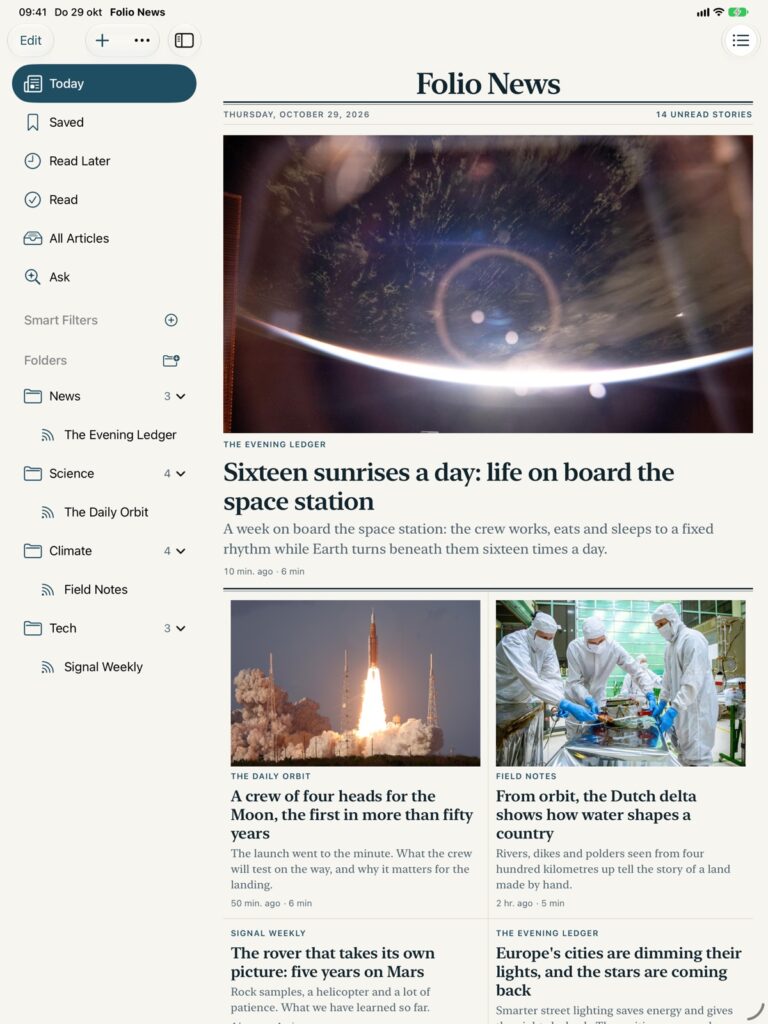
Your sources, as a front page
Folio opens on Today: a front page made from the sources you chose, with a lead story, columns and sections, instead of an endless list. Swipe a story to save it, keep it for later or mark it read.
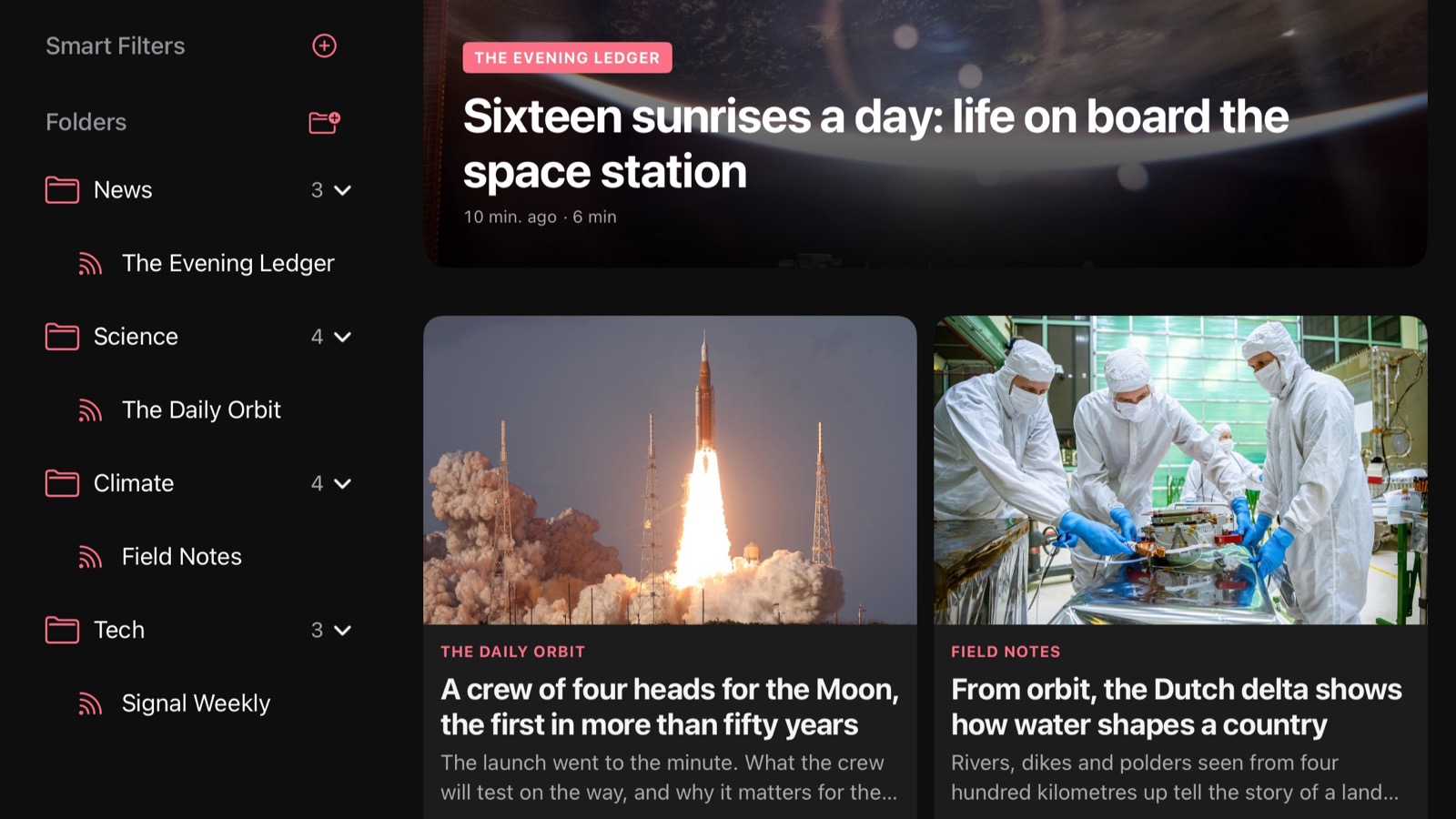
Seven styles, from broadsheet to magazine
The part I had most fun with. One choice changes the whole app and every article in it: Folio’s own clean paper, a magazine with photos edge to edge, an opinion weekly in serif italics, a quiet mood magazine, an old-fashioned newspaper in black and white, a modern newspaper and a grid of tiles. Each comes in light, dark and true black for OLED screens.

The whole article, every time
Most feeds send a headline and two sentences, and then a link. Folio follows that link for you. Open a story and the complete article is already there, fetched from the original page and set in clean, readable type, without the menus, banners and pop-ups that came with it.
Two reader engines share the work. Folio’s own is tuned for news sites; when it comes back with suspiciously little, a second engine takes another look at the same page, and Folio keeps whichever found the real story. An article spread over several pages comes back as one. All of it happens on your device: the page travels from the publisher straight to you.
With offline downloads on, every new article is fetched in the background, ready for the train or the plane.
Reading, not scrolling
- Highlights, notes, sketches with Apple Pencil, and tags, all searchable.
- Smart filters: describe what you want, like “long reads about climate”, and Folio keeps the list for you.
- A “proper reads” setting that hides very short items.
- Mute filters that keep a word off your front page, with a count of what is hidden and the settings one tap away.
- Links open inside the app, with a button to go on in Safari.
Apple Intelligence, on the device
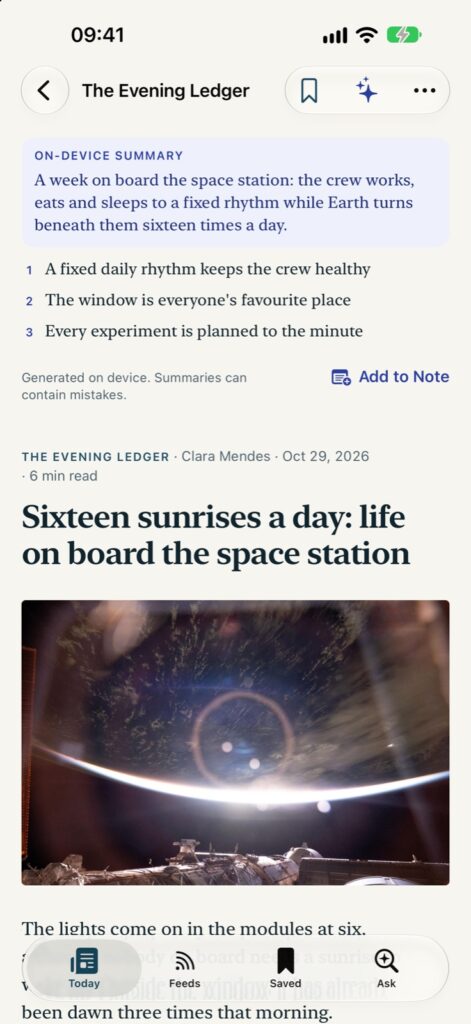
On devices that have it, Folio summarises articles, suggests tags and answers questions about what you have read. All of it runs on your device with Apple’s on-device model. Nothing you read is sent anywhere for it.
Made for iPhone Duo
Folio News is built for the iPhone Duo. Unfolded, you get a full two-page spread; half open like a book, it becomes a tabletop reader; folded shut, the same story carries on on the cover. On the iPad the sources stay beside the paper, and on the Mac it runs as well.
Nothing collected
No account, no analytics, no tracking. Folio talks to the sites you follow and to Apple, and that is it. Your sources, notes and reading lists sync through your own iCloud if you want them to. The privacy policy is short, because there is little to say.
Free, with Pro if you want more
Folio News is free, with the Folio style, your sources, the front page, videos and full text for your first 30 articles. Folio Pro adds every style, Apple Intelligence, unlimited full text and smart filters: €9.99 a year, with the first two weeks free, or €24.99 once and it is yours for good. Both work with Family Sharing.
Get it
Folio News 1.0 is on the App Store now: download it for iPhone, iPad and Mac. The app speaks all 24 official languages of the European Union. Questions, ideas or a source you would like to see in the starter list? Mail me at support@jumpstartmedia.nl.