
Folio News
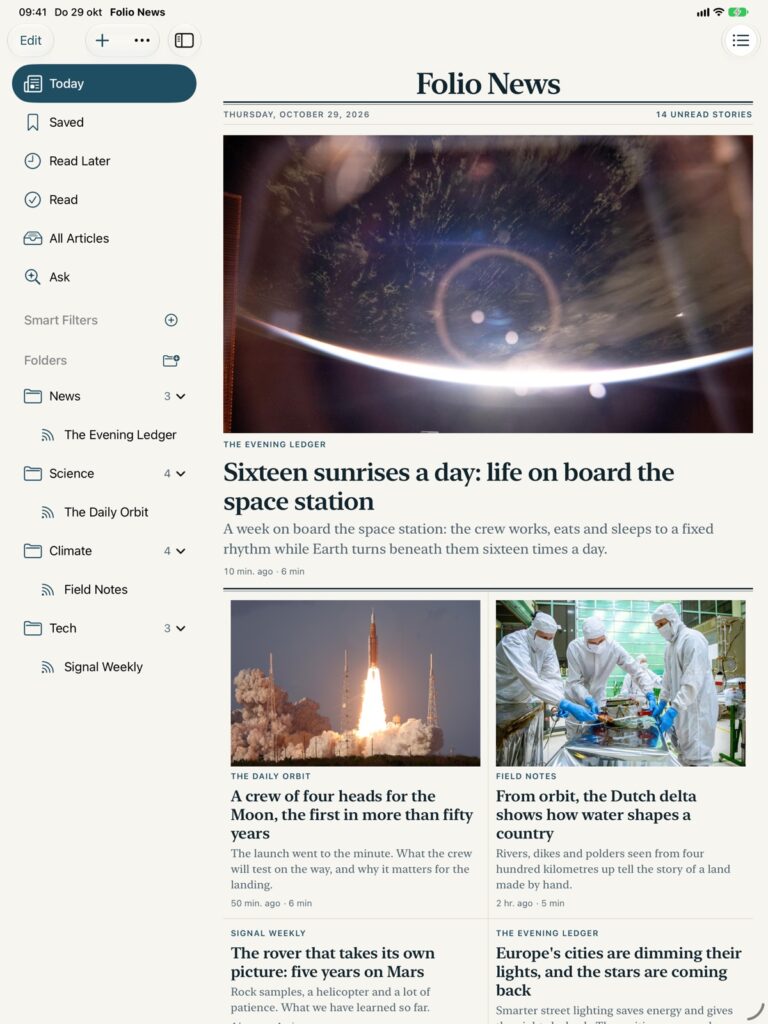
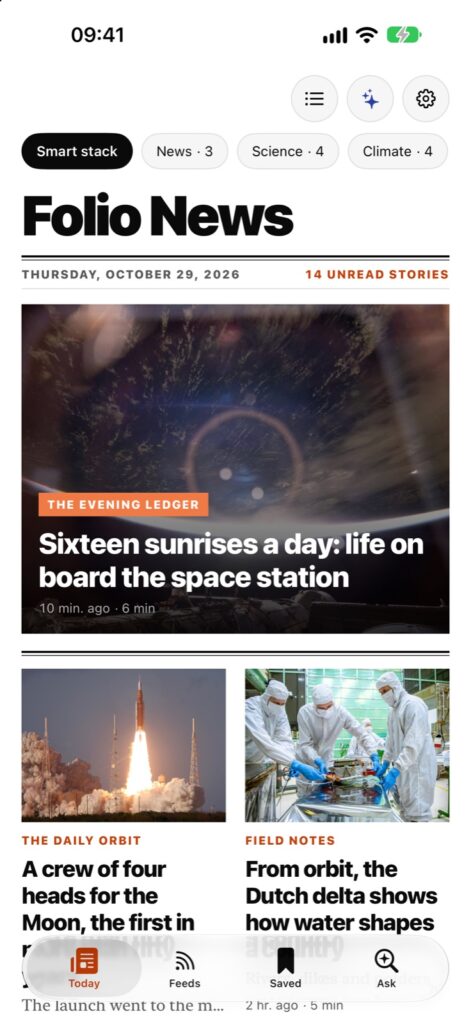
Your own news sources, laid out as a newspaper. A fresh front page every morning on iPhone Duo, iPhone, iPad and Mac, with the whole article a tap away.
What it does
The news you chose, made to be read.
No algorithm decides what you see. Every story comes straight from the sites, blogs and channels you follow, set like a paper instead of piled up like an inbox.
Apple Intelligence, on your device
Summaries, key points, tags, answers about an article and search by meaning, made on your iPhone, iPad or Mac.
Listen
Any article read aloud in the best voice on your device. With Folio Pro, one story after another like a podcast, also with the screen locked.
One story, once
The same news from several sources shows up once, and you see how the others tell it.
Any source, in a moment
Hundreds of suggestions in 24 languages, any feed address or even a site without a feed, or your whole list from another reader with OPML.
Ready offline
New articles are fetched in the background, full text and all, so the train and the plane are no problem.
Sorted your way
Folders become sections of the paper. Smart filters keep lists for you, by keyword or simply by describing what you want. Mute a word and those stories stay off your front page.
Keep what matters
Save, read later, highlight, add notes, sketch with Apple Pencil and tag. All of it searchable. With Folio Pro, links from other apps too, offline as well.
A style for every reader
Seven print styles, from broadsheet to magazine, in light, dark and true black.
A daily briefing
A short line on each of the day’s biggest stories, at the top of Today. With Folio Pro.
Your RSS service
Sync with FreshRSS, Miniflux, Tiny Tiny RSS, The Old Reader or BazQux. With Folio Pro.
Widgets, in your style
Today’s stories on your Home Screen, set in the style you read in. With Folio Pro.
Reading statistics
How much you read, when, and from which sources. With Folio Pro.
iPhone Duo
Made for iPhone Duo.
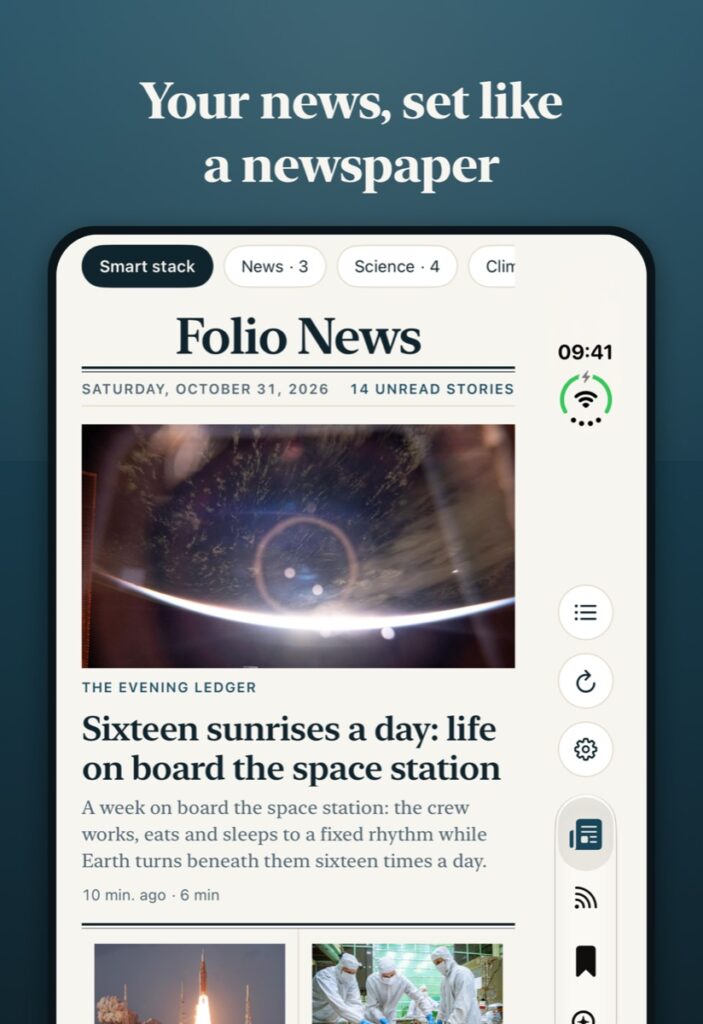
Folio News isn’t an iPhone app stretched across a bigger screen. It has a layout for every way you hold your Duo, and the story you’re reading comes with you.
- Folded: your front page and quick triage on the outer screen.
- Unfolded: a full two-page spread, with the gutter right on the hinge.
- Half open: a tabletop reader, like a book on the table.
- Fold or unfold while reading: you stay in the same article.
Today, your front page
Every morning, a paper of your own.
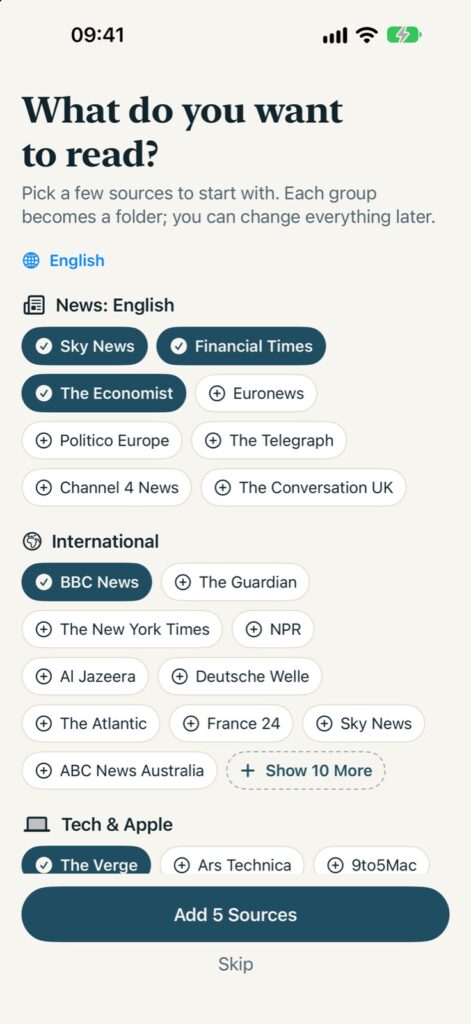
Pick a few sources to start; each group becomes a folder and each folder a section. Folio mixes long reads and short news into a front page you can finish.
- News, tech, business, science, sports, culture and daily photography to start from
- Choose your languages, how far back to go and how many stories per source
- See how many stories your filters hide, and change those filters on the spot
- Put Today’s sections in your own order
- One or two columns on iPhone, three or four on iPad and Mac, or simply the newest first as a list
- Your smart stacks right under the date, a tap away
- Stories you scroll past can be marked as read for you
- Swipe to save, keep for later or mark as read
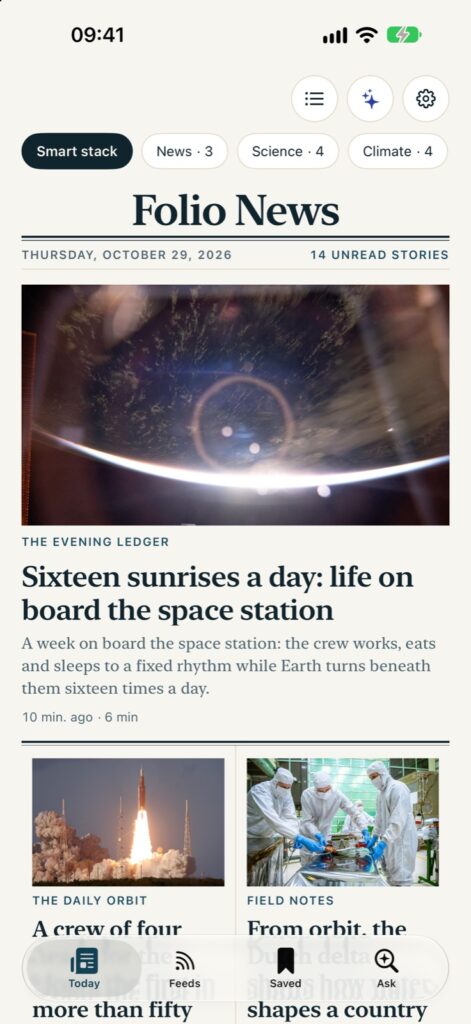
Full text, automatically
The whole article, every time.
Most feeds send a headline, two sentences and a link. Folio follows the link for you: open a story and the complete article is already there, fetched from the original page and set in clean, readable type, without the menus, banners and pop-ups that came with it.
- Two reader engines share the work. When Folio’s own comes back with suspiciously little, a second one takes another look, and Folio keeps whichever found the real story
- An article spread over several pages comes back as one
- Feeds that send only a headline get their intro from the page itself, the stories on your screen first
- All on your device: the page goes from the publisher straight to you
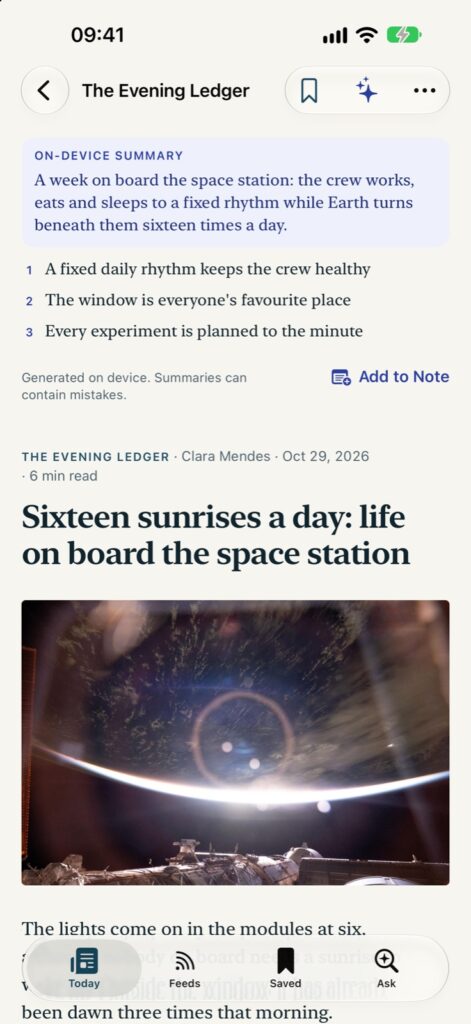
Seven styles
One paper, set seven ways.
A style changes the whole app at once, the front page and every article: the paper, the type, the photos and the layout. Each comes in light, dark and true black for OLED screens.
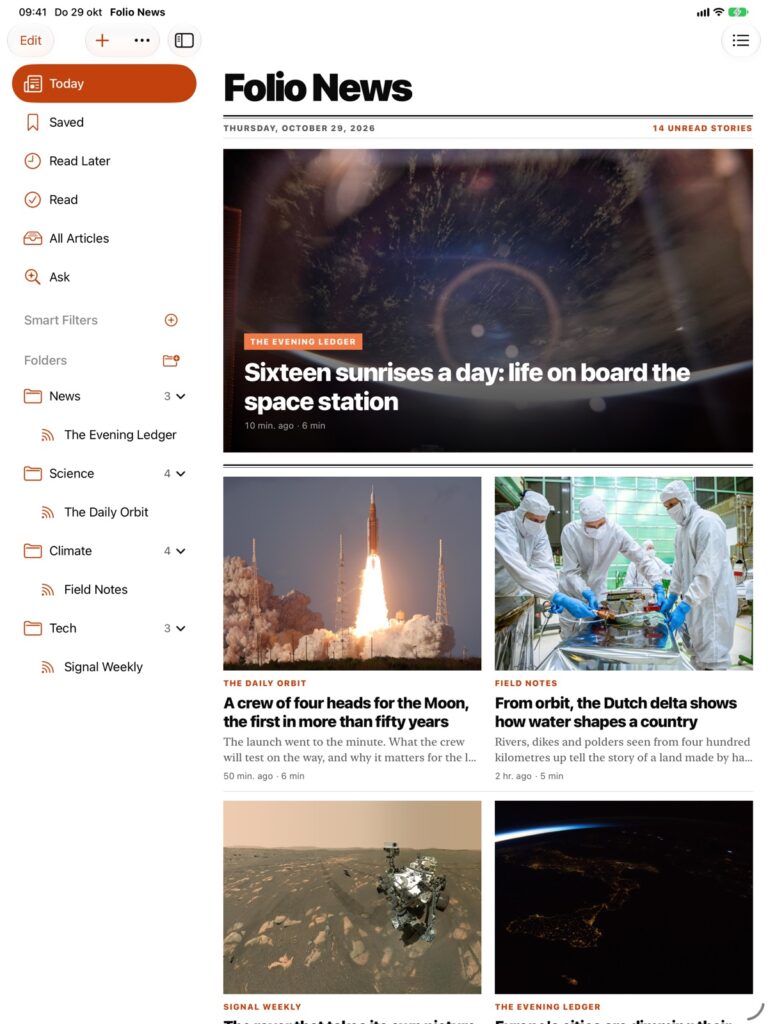
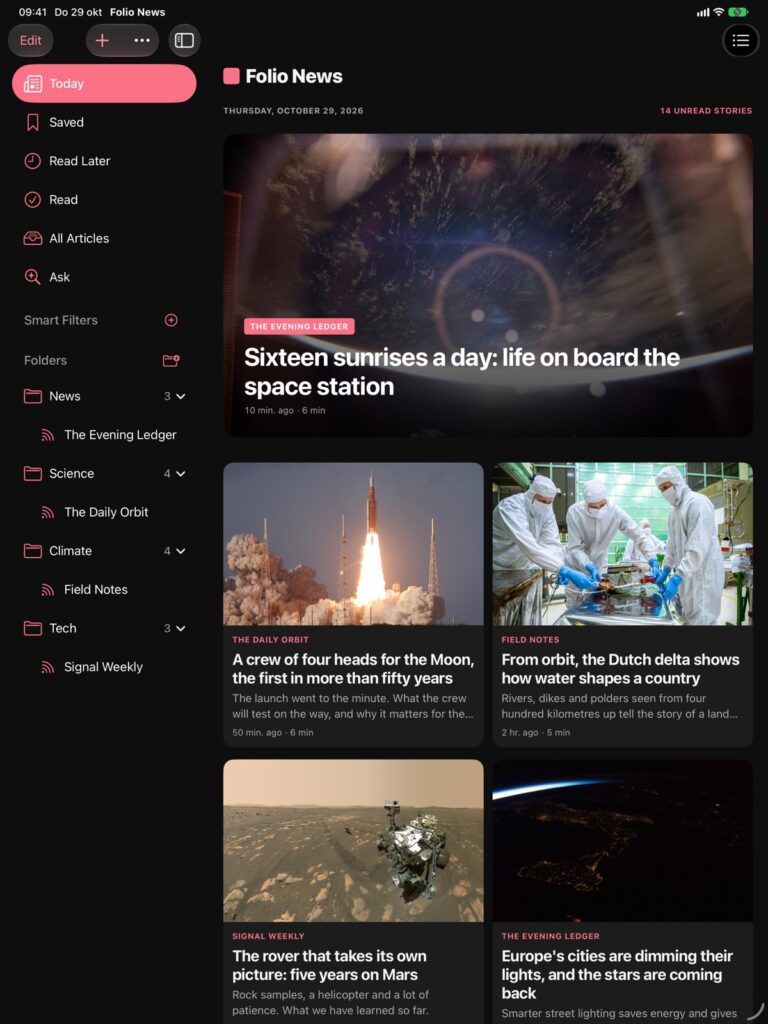
- FolioFolio’s own look: sea-glass tones, serif headlines and clean sans labels.
- MagazineBold, tightly set headlines over photos edge to edge.
- Opinion WeeklyWarm paper, light serif headlines, italic standfirsts and red section marks.
- Lifestyle MagazineSoft tones, light type and wide-spaced capitals for slow reading.
- Classic NewspaperNewsprint and black ink, heavy serif headlines, no colour.
- Modern NewspaperCrisp white paper, sharp serif headlines and clean sans labels.
- TilesBold sans everywhere, white tiles on grey and a red accent.
Apple Intelligence, on your device
A sharp editor, sitting on your device.
On devices with Apple Intelligence, Folio reads along. Everything runs with Apple’s on-device model; what you read is never sent anywhere for it.
Summarize
The gist, before you start
A few sentences on top of a long article, so you know whether it is worth the evening.
Key Points
The facts, in a list
The main points of a story, ready to skim or to keep.
Ask This Article
Questions, answered from the text
Who is that, what does this mean, what happened before: answers drawn from the article itself.
Ask Folio
Search by meaning
Look for an idea rather than a word, and Folio finds the stories about it, even when they never use your words.
Describe It
Smart filters in plain words
Write “long reads about climate” and Folio keeps that list for you.
Tags
Order without effort
Tag suggestions for every article you keep.
Questions
Good to know.
What do I get for free?
Your sources, the front page, the Folio style, listening, videos and Shorts, highlights and notes, and the full text of your first 30 articles. Folio Pro adds every style, Apple Intelligence and the daily briefing, unlimited full text, listening like a podcast, sync with your RSS service, more than three smart filters, widgets and reading statistics.
Does it work on iPhone Duo?
Yes, and it was built for it: a layout for folded, unfolded and half open, and your article stays open when you fold or unfold.
What does Folio Pro cost?
€9.99 a year, with the first two weeks free, or €24.99 once and it is yours for good. Both work with Family Sharing, on iPhone, iPad and Mac.
Can I bring my sources from another reader?
Yes. Export an OPML file from your current reader and import it in Folio’s sources screen. Any website or feed address works too.
Does it work with my RSS service?
Yes, with Folio Pro: FreshRSS, Miniflux, Tiny Tiny RSS, The Old Reader and BazQux. Your subscriptions and what you have read stay in step with the service.
Why does an article sometimes show only a summary?
Some sites block fetching the full text. Tap the link to read it on the site itself, in the browser inside the app.
Can I keep a topic off my front page?
Yes. A mute filter marks stories with that word as read, whether it is in the title or further down in the text. The front page shows how many stories are hidden; tap that number to change your filters. Hidden stories stay available under Feeds and in Search.
Which languages does it speak?
All 24 official languages of the European Union, with suggested sources for many of them.
I wanted the morning paper back, but made from my own sources: no algorithm, no clutter, and the whole story every time I tap one.
Justin MeijerFounder of Jumpstart Media, maker of Folio News
Private by design
What you read is your business.
No account, no analytics, no tracking. Folio talks to the sites you follow and to Apple, and your library syncs through your own iCloud if you want it to. Read the privacy policy.
Devices
iPhone and iPad with iOS 27 or later, and Macs with Apple silicon.
Sources
RSS, Atom and JSON feeds, websites, video channels and communities. OPML import.
Sync
Through your own iCloud, when you turn it on. With Folio Pro also FreshRSS, Miniflux, Tiny Tiny RSS, The Old Reader and BazQux.
Languages
All 24 official languages of the EU.
Folio News
Free on the App Store. Folio Pro adds every style, Apple Intelligence, unlimited full text, podcast-style listening, sync with your RSS service, widgets and reading statistics for €9.99 a year (two weeks free) or €24.99 once.
Folio News is made by Jumpstart Media in the Netherlands. Photos in the screenshots: NASA.